What is TheSmallBook?
A library of the world's best non-fiction books, cracked open. every book distilled into its big idea, chapter-by-chapter lessons with real stories, three killer quotes, and a 5-step action plan you can actually use. No 300-page grind. An account, only so your shelf and progress save. Just the lessons.
Tip: Open You → About & feature guide to come back to this guide. We keep it updated with every app update.
And the Graveyard?
Success books teach you what TO do. The Graveyard teaches the opposite: 300 real people, startups and empires, Evergrande, Theranos, Kingfisher, Lehman Brothers. autopsied into what happened, the fatal mistake, and the lesson.
They paid billions for those lessons. Here, you keep the lesson.
ENTER IF YOU DARE → Who built this?
- An open shelf. Every summary, every lesson, every audio track and every Ask answer is open to you. Some perks (Store coupons) unlock via Gold or 3 published stories, and reading itself is never paywalled.
- Your words, your rights. You own what you publish (quotes/stories). By publishing you give TheSmallBook a non-exclusive right to show it in the community. You can delete anytime.
- Be kind, be real. No hate, no spam, no plagiarism. We may remove content that harms others. Repeated abuse → account pause.
- No legal/medical advice. Summaries are for learning, not professional advice. Read the full book or consult a pro before big decisions.
- Links & offers. Store shows official programs only, verified monthly. External sites have their own terms.
- Offline-first. Your shelf, streak, drafts & reading progress live on your device (localStorage). No tracking SDKs, no ad beacons.
- Sign-in (optional) = sync. If you use Google sign-in, we sync your profile, shelf & posts to Supabase so they follow you. We never post without asking.
- No selling, no fingerprinting. We don’t sell, rent or fingerprint your reading history. Email (thesmallbook.in@gmail.com) only for support/partnerships.
- Delete anytime. Clear site data → local data gone. Ask us to delete cloud data via thesmallbook.in@gmail.com, we do within 7 days.
- Cookies: Only essentials for theme, language & auth. No third-party ad cookies.
Questions? thesmallbook.in@gmail.com · Mumbai, India
Got tired of two things: books that take three weeks to finish, and "summary" apps that lock the good parts behind a subscription. So he built the library he wished existed. every lesson readable in a chai break, updated with new books and fresh corpses every week.
The official page is @thesmallbook.in, new books, fresh corpses, book battles & giveaways.
Follow it, and DM for offers & collabs!
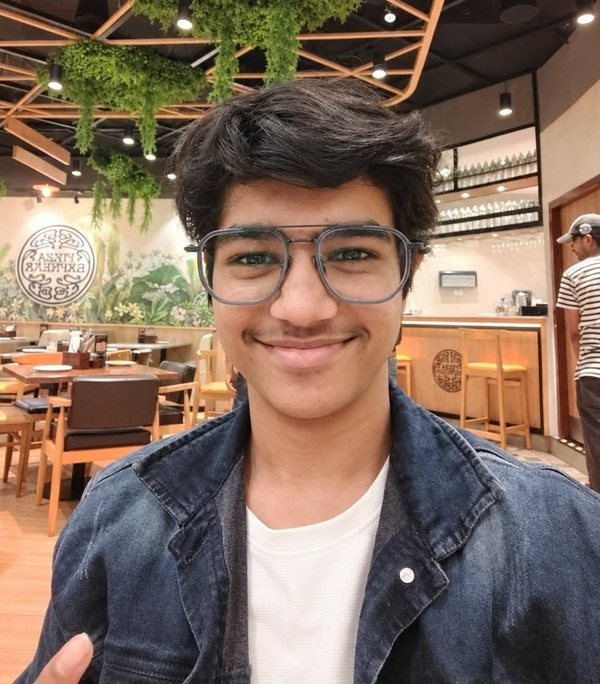
Creator's personal: @jash._gandhi7, behind-the-scenes of every build.
Everything inside
↑ Quick map, interactive demos below explain the tricky ones in 30 seconds each.
TRY EVERY FEATURE, LIVE - 30-SECOND DEMOS
Try the features, live demos
Some features are hard to explain in words. Tap a demo below, each is a 30-second simulation of the real app, right here on this page. No data leaves your phone.
HOW THE APP IS BUILT - THE ENGINEERING, FOR THE CURIOUS
Fast, offline-first, privacy-respecting. No trackers. No ad SDKs. Your shelf and streak stay on your device and sync only if you sign in with Google.
1) Small reads > big books. Every page must be finishable in a chai break.
2) Honest, not hype. Each lesson links to a failure that ignored it, so you see the cost.
3) Own your progress. Streaks, shelves and notes are yours; the cloud is opt-in.
Open-source knowledge, original summaries. If you love a book, buy the full book, our buy buttons keep this going.
🆕 What's new, changelog
We ship every week: new books, new graveyard autopsies, and small polish. Tap to open the living changelog modal.
You are on the latest build, tsb-v413. Everything below is history, newest first.
What's New in TheSmallBook
We ship every week. New books, new graves, and small polish. This page is the living changelog.
Latest build: tsb-v413
Build 413: The whole library can now be found
This build is about being discoverable without becoming noisy. Every one of the 530 Graveyard cases now has its own case study page, all 83 Ask the Library questions have a readable answer page with the books and failures behind it, and every author in the library has an author shelf, including writers with one book here. A complete book index, a learning shelf and Graveyard cause hubs tie the rooms together, while book, author, topic and reading list pages gained clearer paths to the next useful page. The Ask composer also lost its duplicate plus: one plus now opens the ways to ask. Nothing here changes how your shelf, progress or player behave.
Build 400: The action bar, yours to read - and every version now tells the truth
This is the latest build, and it is the one every page of the app now names. Settings, About, this changelog and the Legal page used to disagree with each other; they all read the same number now, and that number is this one. The action bar got the attention it needed. You can run it with titles, the way it has always looked, or with icons only, when you want the room back: the choice is in Settings under your bar, it takes one tap, and it stays. In the titled bar the yellow selection used to sit behind the icon alone, with the word hanging underneath it in the cold, so the highlight looked like it had missed half the button. The yellow now wraps the icon and the title together, so the whole button reads as the thing you are standing on. With titles off, the selection becomes a yellow circle around the icon and a small dot beneath it, because an icon-only bar still has to tell you where you are. Every item is a full touch target with a press state you can feel, the bar keeps clear of the phone's bottom edge, and no title is ever clipped. Small build, but it is the one you will feel a hundred times a day.
Build 399 - Swipe that always answers, and a player that owns the screen
Swiping a page used to be a coin toss. The reader now separates a real swipe from a scroll, from a nudge, and from a gesture that ends because the phone took the touch away, and it answers all four correctly: a swipe turns the page, a nudge does not, and a turn never interrupts what you were doing. If you are listening while you read, turning the page parks the audio and leaves it paused where you left it, instead of wiping it - come back after closing the app and it is still in the dock, still on your page. Today's pick will never again be one of the paid Originals. The Listen room grew an audiobooks shelf, free and out loud, so a whole book can be heard without leaving the room. The player is now the screen it opens on: it fills the phone, hides the bar behind it, closes from a round button your thumb can find, and prints track names the way a person would write them, without the number twice.
Build 398 - One player everywhere, and it keeps playing
There is one player in this app now, and you open it the same way from every door: the small bar, a book's cover, an episode, a narration. It is the full sheet, with speed, volume boost, the sleep timer and the queue on every kind of audio. It keeps playing when the screen goes off, it keeps playing when you leave the app, and it survives a reload: the same book, the same chapter, the same second. The timeline at the bottom of a chapter is honest about where you are. Switching between page by page and continuous scroll takes effect the moment you tap it, with no refresh and no reload of the book. And the first open got faster, because the pages now paint before the data arrives.
Build 333: A calmer library and a Read that feels like opening a book
This release is about the small things you feel every time you open the app. The first screen after an update now fills the whole phone, and it arrives the way the setup screens do, one part after another. The mark in the corner now follows the hour: it leans one way in the morning, sits straight in the afternoon, leans further as evening comes and turns the other way at night. Message popups no longer repeat themselves: once the app has told you about a message, it remembers, even after a long time away. A podcast you swipe away stays swiped, on every page and after every reload. Sheets and cards no longer draw a grab bar, because the gesture is the gesture. Little of this is visible at once, which is the point: it should simply feel calmer than the version before it.
Build 332: Smoother, safer, and made for your thumb
The action bar now floats above your phone's own bottom edge, and changing it takes one tap: pick a spot, pick a button. Podcasts show each show's real artwork, also in the player, and the player follows the words line by line like lyrics. Tap Read and the cover swings open into the page. You can now ask us for any book from the Library, search or About. Your age stays private, links answer on the first tap and never open twice, and Messages and Notifications got calm new screens. The new update screen welcomes you back by name.
Build 331 - Real Gold, your own bar, a richer Listen room
Gold now switches on only when our server confirms a real UPI payment, with no shortcuts. Everyone sets up once more with a name, age and a unique @username, checked live. Gold readers get natural voices, a four-page cheat-sheet, a monthly streak freeze and a fifth action-bar button. The action bar has four looks, label styles and a hide-on-scroll mode. Show cards lead with their artwork, the player shows the words as they are read plus the book at a glance, Today's See all opens a sheet of covers, sharing has WhatsApp, Instagram and More, and every book page points to the whole book, free and legal.
Build 330 - Simpler, calmer, more alive
Ask the library is now one calm screen, like the assistants you already use: a hello with your name, three books gently floating, four questions to tap and one ask box with a plus for ways to ask, a mic and a send arrow. Answers read like a conversation, with the books they came from as small cover cards you can swipe. Stories put the picture first: every story opens with its full width cover on top, the stories without a picture show their book standing in 3D, and each card has one job, so the extra buttons and reply nudges are gone. Opening the app each day now feels like a moment: a full screen sky that follows the time of day, today's book turning in, and one button. The first onboarding screen has books that breathe and lean toward your finger, screens turn like pages, and About now shows Jash's photo. Fewer words everywhere.
Build 329 - Covers you recognise, Stories rebuilt
Every edition cover now keeps the colour of the book you know: a white original stays white, so you can find it on the shelf at a glance. Our own TheSmallBook Originals keep their house covers and get a shelf of their own on Today. The starter shelf at the end of onboarding is now four books picked from your answers plus one Original, each with the reason it was chosen, and any pick can be swapped. Changing language now happens behind a frosted veil, and the page fades into the new language once it is ready. Stories were redesigned end to end: one weekly prompt, quiet cards, a calm reading page and a cleaner composer. Ask the library, the Notebook and Deep dives got the same quieter look.
Build 328 - Made like the film
The Listen room and the player were rebuilt around what you hear. While an audiobook plays, the full player shows that book in 3D, gently moving, and it opens to the line being read. The mini player shows the spoken line too. The reader now looks like the redesign: a slim top bar with page segments, a language pill, a dock with Listen and Next, a toolbar to highlight, copy, share or explain, and highlights that stay. One share sheet sends a book or a quote as a card. Today greets you with something new each day, and the Mind pick arrives sealed until you tap it open. Translation loads quietly in the background, then fades in. Settings keep the essentials and tuck the rest under More settings. About, Sign in and your Account were redesigned, and onboarding screens rise in like the film.
Build 327 - Smoother, quieter, more finished
A polish pass on everything the redesign touched. The 3D book on every book page now moves like a real object: it follows your finger on a spring, keeps spinning a little when you let go, sways gently when idle, and a tap flips it to the back cover. Buttons say less. Read and Listen show their minutes underneath, and save, copy link, text size, language and dark mode sit in one quiet menu instead of a row of labels. The chips under the title read simply, like 11 min, 8 lessons and 3 quotes. Lessons have padded numbers, a soft tick once read, their minutes on the right, and they open and close smoothly. Gold is now one calm screen: pick monthly or yearly, one button, and every detail is still a tap away. About, Graveyard and Deep dives get the same one-row header, Settings rows are tidy, achievements arrive as a small glass note, and every TheSmallBook edition cover is now a true book shape.
Build 326 - The redesign, built for real
TheSmallBook now looks and feels like the film we made of it. Getting started is four calm screens: tell us your name, tap what is on your mind, turn a dial for your daily minutes and pick when you read, then watch your first shelf build itself from your answers, with any book one tap to swap. Parents get a door to story time right from the first screen. Home is now Today: it greets you by name and by the time of day, shows today's pick chosen from what you told us, a Mind pick line, the book you were reading with its progress, and a row because of what you picked. The Library is a calm grid of real covers with voice search: tap the mic and say a title, an author or a feeling. A new You page shows your reading year as a ring and a week of bars, your streak, books finished and lessons read. The book page, Listen and the bottom bar were redrawn in the same warm paper, serif titles and soft cards, Gold became a dark and golden room with honest prices, Just ₹99 a month or ₹999 for the year, cancel anytime, and dark mode is now a warm night instead of pure black. Every feature you already use is still here.
Build 325 - Our own editions, a real 3D book, and a studio voice
Every book now wears its own TheSmallBook edition: an original cover drawn for us in the colours you know from the shelf, with our type, a simple motif for its subject and an edition number. On the book page the cover is a real 3D object: a coloured spine with the title, page edges you can see, light that moves as it turns, a flick to spin it and a soft settle onto the front or the back, where the book's one idea is printed. Listening got its biggest upgrade yet. The cloud voice was never actually switching on, so every Listen used your phone's voice. Now there is a studio narrator for English, Hindi, Marathi, Tamil, Kannada, Urdu, Bengali, Telugu and more, the next paragraph is prepared while you hear this one so chapters flow without gaps, and turning it on is one calm, free, one-time choice. Your phone's voice is still there, instantly, whenever you want it.
Build 324 - Soft neo, and story time for kids
The whole app got a calmer coat: warm paper, hairline edges and soft shadows in place of the heavy black blocks, rounded corners everywhere, and lessons set in Newsreader, a typeface made for long reading. The brand yellow stayed, and so did every feature. Things now move: the bottom bar is frosted glass and its yellow pill slides to the tab you pick, pages flow into each other, a book cover flies from the shelf into its page, and on the book page the cover is a real 3D book you can spin with a finger. Translate drops down from the top with every language written in its own script and a search box. The reader's footer fills a thin yellow line as you turn pages, highlights look like a marker pen, and the tune-up asks for your daily minutes with a dial you can turn. New: Story time for kids. Panchatantra stories in English and Hindi, read aloud with every word lighting up as it is spoken, tap any word to hear it or see what it means, a star for every finished story, and a hold-to-exit button so little fingers stay in the story.
Build 323 - The Audio Room
The full player sheet is now the audio room: bigger cover art, and the line under the scrubber names exactly where you are - episode 3 of 12, or chapter 4 of 21. Every podcast episode and TSB Original carries a SAVE button - one tap keeps the audio on your phone, and it plays with zero network, airplane mode included, with a live save percentage while it copies. Under the queue sits UP NEXT: the shows you keep, one tap to flow into them. When an episode ends and autoplay is ON, the room chains into your next saved show by itself - built for the commute. Turn the flow OFF with one chip.
Share cards worth tapping, a search that flies, and a shelf that learns you. Every book page now unfurls its own poster when the link is shared - the real cover tilted on cream paper, the book's own line, the app's stamps - drawn by the app's own design kit, never a stock image, and the main share card got the same tailoring. The show search became a flight: instant skeleton cards while the directory answers, results that glide in, your recent searches kept as one-tap chips, and a newer search always wins over an older one. The shelf now learns: play or heart a few shows and FIND 3 MORE hunts in your neighbourhoods first - listen to startups, find startups. Browsing a show's episodes works before you ever press play, feeds answer through a stricter parser with a fallback for the browsers that refuse odd XML, and every fetch carries a deadline with a real TRY AGAIN button. The player: volume boost now appears only where it honestly works (the quiet LibriVox recordings), the dock is pinned back to its home pose whenever the full player opens or closes, and the show-home exits are gone from every card - the story stays in the app. For Safari and older browsers: twenty-one silent syntax traps that could blank whole features were hunted down and rewritten. And the tutorial grew eras - you see it once; when an update truly changes the app, it returns once with a heads-up, never on every open. Build 322.
Continue means continue, and the sheet is complete. The full player now opens complete from every door - the small bar's title, the art, anywhere - with speed, volume boost, the sleep timer and the queue on every kind of audio, narrated summaries included. A continue on a podcast was quietly restarting from the latest episode; it now lands on the saved episode at the saved second. Boost grew a 150% step - the words outside say 150%, the circuit inside gives everything it has. The sheet that fills the page got its own fill: every takeaway now carries a "from the book" line - the story, the number, the receipt - and the hand got bigger, so page one reads full, like the reference sheet, top to bottom. The About page stopped shouting: the changelog is back in small type, the engine room and the live demos tuck into quiet folds, and the footer is one calm row. And the shows shelf grew a proper search bar - type any topic or host and the directory answers five real shows at a time, with five more on demand, every card playing right here and saving to YOUR SHOWS - and every fetched show now introduces itself in its own words, straight from its feed, not one shared sentence. Build 321.
The pause promise. You paused a book, opened another page or came back later - and the audio started shouting again. That is fixed at the root: the queue builder had quietly dropped the autoplay flag, so every restored session looked like a "keep playing" one. Paused stays paused - across pages, reloads and app switches - and only a session that was truly playing when you left picks up with sound. The state you leave in is the state you return to, on every engine: full audiobooks, fetched shows and our own episodes. Switching apps or tabs also freezes the honest state now. And the hunch about the originals was right: our show's episodes were wired to the wrong field name and fetched a dead link - the voice you heard never existed. Every episode now plays its real audio, and the browser suite grew seven tests that run in an autoplay-allowed browser (what a real phone is after your first tap) so this class of bug can never hide behind a blocked player again. Updates still need zero steps from you - HTML lands fresh, everything else rides your phone. Build 320.
The rulebook, and an app that opens like it is already on your phone. There is now a real Legal & Privacy page - terms, privacy, content credit, takedowns and contact, all in plain words, linked from the About page, Settings and the login footer, open to guests and saved for offline. It says what the app always did: notes stay on your device, no ads, no trackers, nothing sold, LibriVox and podcast feeds credited to their makers, and one message removes anything that is yours within 48 hours. The bigger change is speed: every versioned file, cover, font and audio now loads from your phone instead of the network - HTML still arrives fresh first, so updates land the moment they ship, but the second visit to any page, book or show opens in a blink, offline included. The first install got 2.3 MB lighter (the 24 quote wallpapers now load only when a quote needs them), the show cover went on a diet (1.08 MB to 67 KB), and the first three shows quietly fetch their episode lists while you browse, so PLAY makes sound, not a wait. And the same app now fits every device: a new Reader Text Size control in Settings (A- to A++) rides every book page, story and note, small phones get a gentler scale pass, and the audit at 320, 360 and 390 px shows zero overflowing elements on any of them. Every printed cheat-sheet now carries one quiet line: for your personal study - please buy the book. Build 319.
The shows you find now behave like the shows we chose. Every podcast pulled in from FIND 3 MORE plays with full chapter sheets, rides the mini dock to every page, comes back mid-episode after a reload, and waits in the Continue card - identical treatment, because a show you discovered should never be a second-class guest. Hunting that promise down caught something worse: the feed reader itself had been going silent in the whole Chrome family (one selector Chromium refuses to parse), so feeds fell back to a mirror that rate-limits - shows would load on some phones and never on others. Fixed at the root; every show now plays straight from its own feed, and this build's tests play real feeds from empty caches to prove it. The cheat sheet found its center: the book's cover and its KEY TAKEAWAYS ribbon now sit mid-page with the seven takeaways flanking on both sides, a full-width band underneath carries the week's first step beside WHERE THE BOOK BITES - the page fills like a poster instead of a form. And audiobooks pulled from LibriVox arrive speaking: each fresh card now carries the book's own description under its title, so the shelf reads like a friend's recommendations, not a list of names. The walkthrough survived 400 taps a second in testing - no swallowed clicks, no stall at slide 8. Build 318.
The sheet worth printing, a show of our own, and doors where questions used to dead-end. The PDF cheat-sheet is rebuilt from zero: page one is the whole book under a single A4 - handwritten in real bundled fonts (Patrick Hand + Caveat, they print from your own machine), seven numbered takeaways around the real cover, the book's big reveal and its best line up top, the first action boxed at the bottom right - one page, always, aligned and made to be printed. Page two is yours: raw ruled notes with today's question about that book written at the top - it changes every day, seeded per book, and your notes stay yours. Gold's promise is now live: members print unlimited sheets, no credit counter; everyone gets four free, and every weekend the whole app gets two bonus sheets - a real limited offer, not a countdown costume. The scanner reads before it judges: three differently-processed OCR passes (grayscale, sharpened, title-band crop) merge their words, the author's printed name counts as evidence, and only then does the cover fingerprint get a strict, clearly-labeled say - a random wall can never again be called a book. The walkthrough was rebuilt for fast hands: one listener for all 21 stops (the old one re-bound every slide and went deaf for 0.8s after each tap), one scroll per stop, a GPU-moved spotlight ring - no more lag at slide 8, no more swallowed taps. And the player stopped lying: switching from a book to a podcast now swaps the cover art instantly, the dock opens the full player from anywhere on it, and pause and play keep their word across pages. Reviews learned manners - five stars gets a warm thank-you, four gets asked what kept it from five, one to three gets asked what broke, no defence - and every review now posts to the live wall for all readers (one SQL ships with the build). New Google accounts claim an @username before using the app: the skip door is gone, info pages stay open to everyone, and the finish sheet returns you to exactly where you were. The daily question grew hands: WRITE ON THIS opens your notebook with the question already at the top, ANSWER IT AS A STORY opens the composer with it pre-titled, and the books remain one tap away. Ask the Library now shows its receipts - "answered from N book lessons + M real failures, zero opinions" - because that line is the thing AI chat cannot say. The store keeps only honest offers: the early Gold lock, the weekend sheet pack, and the writer's path. And the Idea Autopsy tells the truth twice: a three-line idea gets asked for specifics instead of a score, and every saved autopsy replays its frozen numbers - the public record may move, your verdict does not, and each report names the day the record was checked. Build 317.
Faster plays, a show shelf that never runs out, and one quiet daily question. The audio room now plays like it should have from the start: the moment the shelf opens, the first screen of audiobooks quietly fetches their chapter lists in the background, a touch on PLAY starts the fetch before the tap even lands, and the button says LOADING while it works - so the first play takes seconds and every play after that is instant, because what the app loaded once, it keeps. "Worth your ears" grew a bottomless shelf: when the hand-picked shows end, FIND 3 MORE SHOWS pulls three real podcasts fresh from the directory - every one verified to carry its own feed, remembered on your device, playable right here - and every show card now saves with the heart in its corner, so YOUR SHOWS sits above the list one tap from a replay. The homepage is calmer: "what's on your mind" is retired, and the mindpick is just today's question - some days opening with a quote, some days a bare ask - every day something new. And two small honest fixes: the ? chip is now a proper little tab attached to the top edge, rounded away from the corner instead of a floating circle, and the guide sheet's close button sits inside the card where your thumb is, not pinned to the top of the screen. Build 316.
One real bug hunted down, and the tutorial now greets every reader. The full player - the box with the chapters, the queue, the speed and the sleep timer - was painting off the bottom of the page on real phones; a fixed, dim, blurred sheet now rises properly every time you tap the dock, and a tap anywhere on the dock's title opens it, on every device, not just in the lab. The walkthrough went to every reader, old and new, exactly once: the graveyard stop now teaches the scroll trick first (the menu bar tucks away as you read and returns when you head up), and the Quote Wall got its own YOUR TURN - pin a line for real, with a "skip this step" escape so no single action is ever forced. Notifications flip to the natural flick: swipe right and the row is gone. And the hold-menu on any message gained a Reply, so even voice notes and book cards can be answered in one tap. The equalizer badge on the dock now wears ink with yellow dancing bars - visible on every background. Build 315.
The player grew up, the tutorial got hands, and the shelf grew itself. The audio dock and the now-playing sheet got the full premium pass: real drawn icons replace the emoji buttons, the dock grows a live equalizer badge and a progress hairline along its bottom edge, and the sheet now rises over a dimmed, blurred page with a proper spring - big tilted artwork, a seek bar that fills in yellow, circular 15 and 30 second skips, ink-tag sections, a queue where the playing chapter dances, and three ways to close it: the red button, a swipe down on the grip, or just picking a chapter. The full tutorial went hands-on: twenty stops, six of them YOUR TURN stops where the tour only moves when you actually do the thing - search, tap the plus, press play on a real audiobook, open the player, the now-playing screen, a grave. And when the audiobook shelf runs out, WANT MORE fetches the next books by itself, live from LibriVox in seconds, each one verified real before it joins, and yours on this device forever. Build 314.
The app now teaches itself. A full walkthrough joins the guide: fourteen stops across ten pages - the library and search, the scanner, the graveyard, the plus and its audio home, the Audio Room, Listen Today, the quote wall, Ask, the notebook, deep dives, your account and Settings - each one pointing at the real thing and explaining how it works. Every brand-new reader walks it once; it resumes exactly where you left it, even mid-page-hop; skipping asks first and tells you it replays from Settings under "Feeling lost?", where a replay button now lives. Replies grew a hold: swipe any message in a chat sideways and you are replying to exactly that one, with the quoted line riding inside the bubble on both phones. And notifications finally let go: swipe any row left and it is gone for good, or clear the whole list in one tap. All 360 graves now carry their complete two-act autopsy. Build 313.
Nobody gets lost in here anymore. A new ? chip sits on the home header, and it opens the plain guide: every function of the app - the library, the scanner, deep dives, the notebook, the audio room, Listen Today, the graveyard, the quote wall, Ask, Write, your account, settings, Gold, the store - one honest line each, with a link that takes you straight there. Behind the same button lives the 30-second home tour: five soft steps that point at the map, the search, the scanner, the graveyard and the big plus, once per reader, skippable in one tap, never in the way. All Settings carries the same door under "Feeling lost?", and index.html#guide opens it directly. Build 312.
Five legends join the shelf, the shelf mixes itself, and boost got honest. The Art of Public Speaking, Common Sense, Andrew Carnegie's life, Frederick Douglass's Narrative and Homer's Odyssey - the audiobooks people actually go looking for - now stream free beside the 35 already there. The audiobook shelf no longer leads with one language: every screen of six mixes English and Hindi on repeat, and the more button adds six at a time. The boost chips now say what they truly do: +50% is a real 150% and +100% is a real 300%, with a compressor keeping the loud voices clear instead of shredded. The show browser's fetching state is an honest animated dots line instead of a quiet pause. And every painted cover - Hindi and English - went minimal: the name, one yellow bar, the author, nothing else. Build 311.
The shows fetch in any weather, the player remembers everything, and the wall got colourful. "Worth your ears" now loads straight from each show's own feed with a mirror as backup and a saved copy as the last resort, so "couldn't fetch" is retired; every show opens a proper in-app browser with artwork, the description and episodes, three more appearing per tap, all playable right here. The player learned your habits: pause it and it stays paused at the same second on every page; swipe it away and it stays gone until you tap Continue in the audio room; reopen the app and it is exactly where you left it. Audiobooks got real cover pages - the seven Hindi titles painted in-house, from Idgaah's diya to the Panchatantra's tree - plus nine new full audiobooks including Walden, Zarathustra, the Kybalion and Seneca's On the Shortness of Life, every audiobook saveable to your shelf with one heart-tap. Settings rows wrap instead of squeezing, the quote wall grew to eight sticky colours plus any custom colour you pick, notes share with a tap and your own pins drag anywhere, and forty-five new graves join the graveyard - 360 autopsies, from Bhopal to Horizon to the Titan. And after the three reader quotes, a small button says add yours: stars first, then your words, name shown or hidden. Build 310.
More Hindi, less noise, and a player that tells you it is working. Seven Hindi listens now lead the shelf: the Panchatantra, Do Sakhiyan, and five Premchand stories (Idgaah, Gulli Danda, Anaath Ladki, Andher, Jhanki), all presented the way India actually reads it - Hinglish covers, Hinglish labels. The word "free" retired from the audio surfaces where it was doing nothing; what needs saying free still says it. The player's yellow strip now runs along its top edge and animates while a chapter is buffering, so a slow network looks like a slow network, not a freeze. Loading popups are gone; one clean notification appears above the player when playback starts, never mid-screen. Build 309.
The duplicates are gone from every audiobook, the player learned manners, and the Quote Wall lends you the words. LibriVox ships every chapter in three bitrates and the app was playing all three; each book now carries its real chapters once - Meditations is 15, not 30 - with the light 64kb copy preferred for smooth streaming. The mini player tucks into exactly the spot the bottom bar leaves, never cut off, and glides back with it. A strip of remaining time rides in the player now, so you always know what is left of the book. Swipe the player fully right and it closes cleanly, your spot kept. The now-playing sheet got the polish pass: it rises like the podcast apps, the playing chapter stands out, and the queue scrolls calm. And before writing your own on the Quote Wall, a find-a-line shelf offers sixty lines from the old voices, searchable by word, author or topic; tap one and it lands in your note ready to pin. Build 308.
Hindi on the free shelf, one popup instead of two, and a Quote Wall that greets you with lines. Guests now meet exactly one card: at the fifteen-minute mark, the friendly free-forever sign-in card, nothing mid-way, no five-more-minutes button. The audiobook shelf speaks Hindi: the Panchatantra in its full 222-chapter Hindi reading and Premchand's Do Sakhiyan, both read by LibriVox volunteers, sitting proudly at the top with Devanagari covers. The shelf now shows six books first with a show-all button, so the wall of covers never scares anyone off. The Quote Wall opens full: fourteen real lines from the shelf pinned like readers left them, tilted every which way, so a first visit feels like a board in use, and the pin and zoom buttons finally have their own corners. Settings grew two quiet switches: hide the what's-on-your-mind card, the daily question, or both. And the footer leads with the book. Build 307.
The player now follows your thumb, and your listening follows you. Scroll down and the mini player tucks away with the bottom bar, exactly like on the book pages; scroll up and both glide back, the player riding a small gap above the bar. Whatever you were listening to - an audiobook or a show - now meets you on every page and every visit: leave, close the app, come back the next day, and it is parked at the exact second, one tap from continuing; if the sleep timer is what stopped it, it comes back quiet instead of shouting. A volume boost finally fixes the quiet old recordings - up to double, honest gain done properly, off by default, one tap in the player. And the stories bell is pinned back to its corner. Build 306.
The Audio Room got a real player, a bottom bar, and its free books moved to the front door. The room now opens on the free shelf: nineteen complete audiobooks with their chapter counts on every cover, then the nineteen shows, and our own narrations after - with three jump buttons at the top for anyone in a hurry. The bottom action bar finally shows up here too, and the mini player parks above it exactly like on the book pages. The player itself grew up: a full now-playing sheet with the cover art big, a seek bar with times, back 15 and forward 30 buttons, chapter skip, speed, a sleep timer that counts down in front of you and cancels cleanly, and the whole queue below. The lock screen now carries the artwork and controls too, so playback survives the phone switching off the screen. Build 305.
Scan any cover, a mindpick that pulls you in, and an Audio Room twice the size. The scanner stopped being a library lookup: point it at any book in print. If we have it, the summary opens straight away; if we do not, it says so honestly and hands you two taps - a WhatsApp to the team with the title it just read, or a mail - and that summary goes to the front of the build queue. The what's-on-your-mind card now leads with the typing box: one honest line in, three books out, each carrying the one thing to do about it this week; the quick buttons moved under it for people who would rather tap. Dark mode got a full sweep with a real contrast audit on every page: the logo highlight, every yellow button, the podcast chips, the graveyard stamps, the notebook cover - nothing disappears into the background anymore. The Audio Room doubled: nineteen podcasts now stream from their own official feeds (The Ranveer Show, Huberman Lab, Naval, Hidden Brain, How I Built This, The Diary Of A CEO, Modern Wisdom, On Purpose, The Neon Show and Dreamers and Unicorns joined the nine) and nineteen complete audiobooks read by LibriVox volunteers - the Analects, the Dhammapada, the Katha Upanishad, Franklin's autobiography, Epictetus' Enchiridion, Seneca's moral letters, the Yoga Sutras and Raja Yoga are the new ones. And a housekeeping pass nobody will see but everybody reads easier: forty thousand em dashes retired from the shelves in favour of the plain hyphen. Build 304.
The Audio Room learned to actually play, the Quote Wall became a real board, and the hands-free scroller retired. Podcasts now stream right inside the app from each show's own official feed - WTF is, Figuring Out, The Barbershop, Founders, Invest Like the Best, Tim Ferriss, The Knowledge Project, The Book Review, Paisa Vaisa - with full credits to their makers, plus eleven complete public-domain audiobooks read by LibriVox volunteers (Meditations, The Prince, The Art of War, Siddhartha and more), all through one player with queue, speed, sleep timer, lock-screen controls and continue-where-you-left. The classics on the shelf grew a Listen Free button. The Quote Wall got cork, wood, tape and pins, and an anonymous switch for readers who'd rather whisper. Lesson buttons went back to one quiet row; notes now live where your finger is - underline any line and tap NOTE. The hands-free camera scroller is gone for good: native scroll only, faster for everyone. The mindpick header, the stories buttons and the audio room card were redrawn by hand. AI-slop sweep with fresh eyes: gradient text, thick edge stripes, washed-out grays and bounce easing all replaced with honest, plain design. Build 303.
The app learned to speak in whole books, and readers got a wall to pin the lines worth keeping. The listening machine arrived: one real player for everything - tap LISTEN on any lesson and the whole book queues up spoken, with a queue you can jump around, speed from 0.75x to 1.5x, a sleep timer that pauses politely at 5, 15 or 30 minutes, lock-screen controls so it keeps playing on a commute, and a continue card that remembers exactly where you left off. Deep-dive narrations and the Stories rail flow through the same player. The lesson buttons grew up: four quiet cells, icon over label, no more toy outlines cheapening the page. The QUOTE button now opens the Quote Wall - a public soft board where readers pin lines, lessons and photos as sticky notes on a corkboard you can pan and zoom forever; posting is one tap and the wall never runs out of space. And the library learned to introduce itself: 14 complete topic shelves (everything on habits, money, focus, discipline and more) and 58 author shelves (every book by Robert Greene, by Robin Sharma, by the anonymous classics), 72 new landing pages for readers who arrive asking for a shelf, not a title. The mindpick header wears its badge calmly now. Build 302, sitemap at 1,122 URLs.
The shelf crossed 500 books: 3,540 lessons, 4,313 minutes of reading, every cover real. Twenty new summaries joined, from Atomic Habits’ neighbours (The First 20 Hours, Working Backwards) to old friends (Siddhartha, A Brief History of Time), each with the ten lessons, the quotes, the action plan and the case study it deserves. The homepage now leads with the problem, not the shelf: a card asks what’s on your mind this week, twelve problem buttons (focus, money, procrastination, a stuck career) or your own words hand back three books that fit plus one thing to actually do, and on the first open of each day a different question or quote greets you, dismissable in one tap, never to nag again until tomorrow.
Reading lists went programmatic: 221 new pages answering the searches readers really type, books like Atomic Habits, the best books on money, stress, stoicism or beating procrastination, and honest head-to-heads (Deep Work vs Make Time, Sapiens vs Guns, Germs and Steel). Every link on them was machine-verified live. And they follow the reader’s language: choose Hindi and the list and every book page open in Hindi, while titles and author names stay untouched by the translator. Ask the Library got a free day: once the paywall is on, every reader still gets 5 questions in any rolling 24 hours with an honest counter in the header, menus and browsing always free; the wall only asks when the day’s questions are genuinely used. The notebook became a real notebook: notes now follow your account to every device (a Supabase table behind them, with the page working offline exactly as before), photos and voice notes move into real storage instead of quietly filling a 5 MB pocket, the lines you highlight while reading land in the notebook under From your reading, every lesson carries a one-tap NOTE button, and the notebook opens on the last page you touched with a search box, book tags and a prompt of the day. Gold got its first real layer: Deep Dives, original long-form reads around the one chapter worth a book's full price, in a proper reader with narration, one sample free; beside them the Audio Room curates the book podcasts and founder conversations worth your ears, read by your app or heard on their own platforms. The hands-free room got simpler and faster: one illustration, one hint, Learn gestures, one toggle, and the full-screen skeleton that made mid-range phones stutter is gone, each flick now one clean animated step. And a founder preview in Settings: Jash's own accounts carry every Gold feature on every device, with an honest switch to walk the app as a free reader. Build 300, sitemap at 1,048 URLs.
All 480 book pages now carry search titles that match real queries (“summary”, “key lessons”, “notes”, “free”), and every one of the 795 summary and case-study pages describes itself honestly (no signup claims, the trial is real). Open a book link straight from a search result and you read the whole book on the spot: the reader page now wears the book’s real title, description and a canonical pointing at its summary page, so there is one clean URL per book in Google, never a templated “Book, TheSmallBook”. The sitemap was rebuilt with every page listed, 805 URLs, the 130 missing books included. And Ask the Library, the assistant that answers from the library’s own 3,340 lessons and 360 autopsies with the exact lesson cited, now stands behind Gold: the panel opens into an honest card the moment the wall switches on (it is config-driven, silent until then), the question library stays browsable, and the books never lock. The gold banner says GO DEEPER now, because that is all it is.
Open the app and a small card drops from the top corner: Scroll with your hand. One tap on Try it opens the hands-free room, a single place that teaches and runs the whole feature: how close to hold your hand, a master switch in the app’s own style, the 30 second animated walkthrough, a one-tap live practice session where the toast reads your hand as you move, the three gesture chips, and the on-device privacy line. The room opens from the corner nudge, from Settings, from the You page, and from any page. The nudge appears once and stays gone the moment you dismiss it; the people who want it get a door, the people who don’t never see it again.
Gold is now server-side. Membership lives in a gold_members table on Supabase with one read-own-row policy, and the browser can only ask, never answer: editing local storage, minting codes or flipping flags in devtools grants nothing, because the code that answered those things no longer exists. Codes redeem through the redeem-gold function (single-use, burns on the buyer’s own signed-in account), card and netbanking checkout goes through Razorpay with a signature-verified webhook that writes membership server-side, replays do nothing twice, and gold.html polls the server with a honest “Payment received, activating…” instead of trusting the device. And a honesty pass on the front page: the promise now says exactly what is true (the library is free, a free account saves your shelf and progress), the gold banner says OPTIONAL EXTRA instead of CLOSING SOON, the invented spots meter is gone, the books and lessons counters carry their real numbers from the very first frame, and the meta descriptions no longer claim no signup anywhere.
Pinch is now a full pointer. Hold the pinch and a cursor rides your fingertip anywhere on the page; drag your hand and the page glides with it, up or down, the way a touch drag feels; hover anything and it lights up so you can aim before you commit. A quick pinch and release is the left click, landing on exactly what you aimed at. Hold as long as you like to roam the page, end with a quick pinch to press. And the top toast, the same quiet one every message uses, now stays live the whole session: it shows an open palm when your palm is up, flicking when your hand sweeps, curling when the beckon starts, and cursor or gliding while you drag, so you always know what the scroller sees and what it is about to do.
The camera never paints your page again. The hands-free session used to lay a faint mirror of your camera over the whole screen, face and room included. That is gone: the feed is now a hidden pipeline that nothing but the detector ever sees. In its place a small corner window shows just your hand, cropped live around your palm, and it disappears the moment your hand leaves the frame, so your face and your room never appear at all. The page itself stays fully visible the whole time, which is the way it always should have read: hands-free looks exactly like hands-on, you simply scroll. And the session remembers you: the first scan still does the steady lock-in, and every session after that recognizes your hand and locks in almost the instant it appears, with a hand-remembered nod instead of the long wait. This ship also fixes four real scroller bugs found by driving the real pipeline with a synthetic hand: the pinch cursor now actually appears (it used to crash the frame it should have shown), releasing a pinch taps exactly where the cursor sat instead of the screen corner, a beckon curl can no longer be mistaken for a pinch (the middle and ring fingers must stay up), and the beckon window now counts from the moment your curl starts, so it works every time instead of roughly half.
You → Settings → Hands-free scrolling. The on/off switch for the Small Scroller now sits right in your settings on the You page, as its own department, with the gesture replay beside it and the on-device privacy line under it: flick down, beckon up, pinch to tap, turn it off the moment you want, all without leaving the page. Beside it a new All settings door opens the full settings room, text size, font style, notification sound, app display size, library view, bar colour, reading language and the data tools, which until now had no door from anywhere in the app. The rooms you already used (activity, look & feel, notifications, privacy, account) are untouched and stay where they were.
The library is now 480 books and 3,340 lessons, all free. Twenty new TheSmallBook Originals join the shelf, credited Unknown, each with 10 lessons, real examples from the public record, an honest caveat, its own generated cover and its own Graveyard link. On the mind side: The Art of Letting Go (an 11-lesson remake, Kodak to Dhoni), The Weight of Maybe (the rent unfinished decisions charge), Letters to My Younger Self (11 letters, age 16 to 40), The Second Life of Broken Things (kintsugi for careers and companies), Nobody Is Thinking About You (the spotlight is in your head) and The Comparison Tax. On the business side: The Franchise Lie (decompose the fee before you sign), The Bootstrapped Rebellion (profit-first playbooks), The Exit That Almost Wasn't (the seller's side of the table), The Last Mile Lie (the economics of getting it there), The Price Is the Product and The Moat Map. On leading people: The Quiet Leader, The Successor's Dilemma, The Delegation Ladder, The Turnaround Captain and The Decision Room (dissent, premortems, decision journals). And to close: The Apology Engine, The Unsexy Hours (boring consistency, the whole secret) and The Scrolled Mind (attention in the feed age). The NEW shelf carries all 80 this week, the og image and every count moved together, the MODES chip got a small polish to match the language pills, and the app no longer wears robot emojis anywhere: it is a library, it says what it is. The chat got an honesty pass too: the duplicate one-idea-five-books mode was retired, Founder Field Notes (invented reader notes) is now From the Founders’ Record with sixteen documented moves from real founders wired to their books, Red Flag Friday draws from every autopsy so the pool runs years, and all seven modes open standalone from their own links.
Turn it on in Settings, show your hand, and the page obeys. The Small Scroller reads your hand from the camera, right on your phone: an open palm flicked up scrolls down, the calling gesture (palm facing the phone, fingers curl down and spring back, exactly like calling someone over) scrolls up, and a pinch shows a soft translucent cursor you can release over any button, chip or link to tap it. A first-run animated tutorial teaches all three gestures, and you can replay it any time from Settings or the little bar in the session. Smart guards keep it honest: your hand locks in after a two second scan, a distance zone warns you to come closer or back off instead of misfiring, gestures are smoothed and need steady frames with cooldowns, a scan reticle fills as your hand locks in, every gesture pops a flash where your palm is, and a motion trail follows a fast hand, and the whole thing pauses the moment you leave the page. Nothing records and nothing uploads: every frame dies on your device. There is a new Air Touch badge for your first scan, and while the toggle is on a small floating hand chip on every page restarts the session one tap later.
One mode now, and it is the one people actually use: Compare two books. Tap the + beside the question field (or the chip), pick two books from the library, and you get a comparison written the way a friend would say it: what each book is actually about, where they agree, where they split, which one to read first, and one thing to try from each this week. Every line is built from the book’s own one-liner, first lesson and action plan, with both books cited underneath, so nothing is invented and nothing is scored. Curious what the library thinks of an idea instead? Type any subject and it puts the best lesson from four different books side by side. The retired formats (Red Flag Friday, Decision Before the Disaster, 7-Day Challenge, Myth vs Lesson, Founder field notes) are gone rather than half kept. Every answer is composed live from the library’s own books and 518 autopsies: nothing invented, nothing padded.
Find Readers now shows the @id you saved. The finder and the follower lists used to show a random-looking code instead of the username you picked in Stories. Fixed: your saved @id shows everywhere a reader appears, on the finder and on profiles.
30 TheSmallBook Originals, written in-house, credited Unknown. The first ten: The Chai Stall CEO (the tapri that out-thinks the chains), The Queue (what India stood in line for in 1991), Mandi Math (how markets really move), The Tiffin Code (the system that never misses), The Wedding Economy (the biggest industry nobody runs), The Cricket Balance Sheet (the business under the game), The Monsoon Portfolio (investing by the rain), Right Idea, Wrong Decade (timing), The Quiet Giant (how big organizations die politely) and The Rented Kingdom (owning your ground on platforms). The twenty new ones: The Art of Letting Go, The Weight of Maybe, Letters to My Younger Self, The Second Life of Broken Things, Nobody Is Thinking About You and The Comparison Tax on the mind side; The Franchise Lie, The Bootstrapped Rebellion, The Exit That Almost Wasn't, The Last Mile Lie, The Price Is the Product and The Moat Map on the business side; The Quiet Leader, The Successor's Dilemma, The Delegation Ladder, The Turnaround Captain and The Decision Room on leading people; and The Apology Engine, The Unsexy Hours and The Scrolled Mind to close. Every one carries 10 or 11 lessons, real examples, honest caveats and its own generated cover, and every one is wired to the Graveyard. The library is now 480 books and 3,340 lessons, all free.
The case file grows a 14th document, and it is the hard one. THE TICKET: a facilities maintenance ticket from the night of the 14th, with the badge log beside it. It proves the shed man stood inside the sealed office minutes before the camera died, and it raises the question the whole file was missing: who rents a truth? The case is now 15 pages; veterans will want to re-read the emails.
The Originals get their mark. Every in-house book now wears a THE SMALLBOOK ORIGINAL band in the reader and on its page: written by us, credited Unknown, found nowhere else. The tune-up also got smarter: it asks what you want to fix first, then builds your shelf from that.
The NEW badge got generous. 80 books carry it this week: the thirty originals plus the fifty real books from the last two rounds (the desi-first 22 and the founders 28), so the whole recent shelf reads as new, newest first. And the tune-up now opens with 1 or 2 books picked from your answers, then the fresh arrivals, chip on the new ones. Counts move together: 480 books, 3,340 lessons, 360 autopsies, swept across every page, meter and the og image.
28 new books, full depth. Desi Disruptors (the insight playbook behind Vicks, Maggi, Fogg and Ceasefire), It Happened in India (Future Group), Bhujia Barons (Bikanervala), For the Love of India (Jamsetji Tata), India Uninc, The Marwaris, Dhandha, Losing My Virginity (Branson), Delivering Happiness (Zappos), Onward (Schultz), Iacocca, My Years with General Motors (Sloan), Jack: Straight from the Gut, Made in Japan (Morita), The HP Way, The Smartest Guys in the Room (Enron), Liar’s Poker, Too Big to Fail, Den of Thieves, Barbarians at the Gate, The Toyota Way, Turn the Ship Around!, The First 90 Days, Hooked, Inspired, The Cold Start Problem, Obviously Awesome and Lost and Founder. Real chapters, named examples, honest caveats, and every quote checked: nothing invented, zero slop, no em dashes anywhere in the new pages.
4 new graves. Ceasefire (created a category, then left it and nobody came), Virgin Cola (fought a distribution war with a marketing army), Air India (the Maharaja grounded by the state, bought back after 68 years) and Payless ShoeSource (sold shoes cheaper than everyone and went broke twice). The Graveyard now autopsies 360 failures, and every new book carries its graveyard connection.
TSB Gold, laid honest. A FREE vs GOLD side-by-side now sits on the Gold page: all twelve premium features in one table, status chips that tell the truth (LIVE NOW, IN PRODUCTION, COMING SOON), and the math at the bottom. The free library stays free; Gold only adds.
The NEW tag moved. The fresh 28 carry the “new” badge; the previous batch lost it, as it should. Counts move together: 450 books, 3,035 lessons, 360 autopsies, swept across every page, meta, meter and the og image. Covers for all 28.
22 new books, full depth. The Big Billion Startup (Flipkart), Simply Fly (Air Deccan), The Maruti Story, TCS under Ramadorai, two by Subroto Bagchi (The Elephant Catchers, The High Performance Entrepreneur), three by Rashmi Bansal (Arise Awake, Follow Every Rainbow, the Anu Aunty story), Dreamers, Recasting India, The Anarchy, Ambani & Sons, Tata Log, Bottle of Lies, Half-Lion, Breakout Nations, Amazon Unbound, Grinding It Out, Empire of Pain, House of Cards and When Genius Failed. Real chapters, named examples, honest caveats: nothing missed out, zero slop, and no em dashes anywhere in the new pages.
3 new graves. Alma Mater (the t-shirt wave that crested), Tata Docomo (per-second billing won the users and lost the money) and the License Raj (the economy that died of waiting in 1991). The Graveyard now autopsies 311 failures, and every new book carries its graveyard connection.
Counts move together. 422 books, 2,811 lessons, 311 autopsies, swept across every page, meta, meter and the og image. Covers for all 22: real artwork where the public record had it, house-style typography where it did not.
Draw on the page itself. The pen button now opens a tiny ink tray: four inks, three nibs, and you draw straight over your words, no window, no taping in. Pen off (or turning the page) saves the ink exactly where you drew it. Photos pinch bigger and smaller with two fingers, and the notebook cover finally shows your notes as notes: title, first line, page count, tap to open. The YOU section carries a proper notebook card now, badge and all.
Speak, and it types. A dictate button sits in the shelf, the same voice typing the writer uses, ten languages, straight into the page. The page-turn finally looks like a page turning: the arriving sheet swings in off the rings.
EXPORT AS FILE grows a READER LINK. Your note becomes a small standalone page with a real ebook page-turn, a header, and the small book brand, uploaded as one file and shared as a link. Four a month free, unlimited with Gold. The share card got redesigned too: one cream sheet, a red margin, the brand quiet in the corner. And the reading-thread experiment in messages is gone; recommending a book stays.
Inside a note, the top-left is MENU now, it opens the notebook, and the YOU link sits beside it. The toolbar scrolls like shelves and carries a font book: fifteen hands and faces, from Homemade Apple to Bebas. The camera button is gone; the photo button already does that job.
Drawing happens on the page itself. No more pop-up window: a transparent sheet floats over your paper, you draw with lines right where the drawing will live, and DONE tapes it in place. And like Word, pressing Enter after a quote line returns you to normal writing, a quote never leaks into the next sentence by itself.
Photos can be dragged now: press and hold one for half a second, it lifts, drop it anywhere. The free watermark became a quiet signature instead of a shout, and Gold writers export without it. The studio finally puts an author in the byline instead of gluing it into the sentence, and whatever you framed there mirrors back into the page preview.
The studio can no longer refuse to compose. Picking an Inspire Desk image and exporting is now tested end-to-end in a real browser, and even a photo whose source blocks exports is silently re-fetched as a blob before giving up. The last-resort message finally tells you exactly what to do instead of "re-pick and pray".
The notebook banner obeys the truth. It reads your session the moment the page builds and keeps checking, so a signed-in reader never sees "these pages live on this device" again, even if auth boots slowly or an extension interferes.
The case grows morning anchors. The chats now carry 7:45 AM (the leak is loose, the press is calling) and 8:15 AM (Arjun's "I will handle it", to a question Vikram never asked). The map rows for both are in. Some times matter. Some are just morning.
Verdicts are sealed now. What you post is read by the Founder alone; the wall only shows that you dared, as blurred tiles with nothing to sniff. His desk lists every verdict with names, emails and handwriting sheets, so the winner can be reached directly. WhatsApp is gone; a camera button snaps your sheet in-app; and you leave an email so the prize can find you if you win.
The notebook got a body. Pages turn with a paper curl, voice notes sit as small chips, photos resize with a tap, drawings save as drawings, and exports come out clean as PDF, Word, PNG or a shareable card. Guest notes follow you into your account.
Also: the graveyard countdown now always offers a full week (the 8h 30m window is gone), the case rules say it straight: pen and paper first, map everything, and the timeline carries the exact clock times that matter.
Document 13 is "The Noise." Nine true things that happened that month, and almost none of them matter. That is the point: a real file is mostly lives being lived, and the Founder grades the argument, not the name. The bottle exhibit testifies now too: read its label, then read document 07.
Photos in the file. The product shot from the launch kit opens the case; the Bhiwandi shed and the seized relabeled crates sit in the shed register. Every exhibit is captioned.
The notebook is dressed down. One dark cover, one hairline, calm grey ink. No gold, no noise. It reads like an object you own, not an effect.
The closing day always gives a full week. On Thursdays themselves, the clock counts to next Thursday, never tonight.
The notebook looks the part. A proper cover with a spine and stitched seams, a hand-written contents page, quieter paper, a calm toolbar, and your guest pages follow you into your account when you sign in.
Cheat sheet page two is now the work page. Page one stays loaded with the book. Page two is light: the identity line, the five steps with tick boxes, where it breaks, and a full ruled writing area for the week. Print page two, work the week, repeat.
The case closes Thursday 9 PM now, and every clock in the app says so.
Solved cases now stay forever. When a case closes it moves to the Case Museum on the Graveyard page: still fully playable, verdict and all, prize or no prize. The folder on the Graveyard now carries a clock too, counting down to Thursday 9 PM.
Your Year in Books. After one full year of reading, a page appears in YOU with your numbers for the year: lessons, finished books, streaks, notes, cases. One card, downloadable, shareable. Until then it is not there at all, exactly as it should be.
Cheat sheets earn the print. Tick boxes on the five steps, lines to write when you started and finished the book, and a My Notes strip at the bottom. Print it glossy, work it with a pen.
You said the little cover animation was too much. It is gone. Picking up a book opens it straight, with one calm settle, nothing in the way. Everything else from v278 stays.
Your Notes is a notebook now, not an app screen. Ruled paper, a red margin, ring binding, pages you turn. A note holds as many pages as it needs. Photos, voice notes and drawings go right on the page. It saves as you write, a note leaves only when you delete it, and export gives you one clean file.
The Case File is live. A manila folder on the Graveyard page with a CONFIDENTIAL stamp. Inside: thirteen documents on one dead company, a phone call you can listen to, and no answer key. Send your verdict privately to the Founder, or post it on the public wall for every reader. A real prize goes to the winner, announced by the Founder when the case closes.
Reading Journeys, renamed and sharpened. Kill the Overthinking. Never Broke Again. Laser Focus: The 7-Day Lock-In. Top the Class, Skip the Tuition. Zero to Founder. The Great Indian Money Stories. The Idea Machine. Win Friends, Win Big. The Iron Discipline Month. Your First ₹1 Lakh.
The Idea Autopsy lives in YOU now, rebuilt from zero. A banner that glows like the graveyard door: cross-examine your startup idea against 308 case files, four meters, a verdict in plain words, fixes that name the grave that paid for the mistake, an ordered scale-up plan, and live proof from the public record. The old audit and the wire are gone from the graveyard page; the corpses lead there now, alone.
The first lock. Free readers see the meters, the verdict and a blurred glimpse of the fixes. The full treatment, every fix, the plan, the family history of failures like yours, the OSINT proof, unlocks with Gold or the launch batch (the first 500 claims are free).
Onboarding questions became a chapter book. Every question is now a page, spine, ghost chapter number, the question underlined in yellow, and the pages turn in 3D as you answer.
This changelog learned manners. You see the newest updates first; the rest arrive when you tap SHOW MORE, no endless wall on your phone.
Onboarding completes; it is never skipped. The extra doors and the cross are gone, one GET STARTED carries you through all seven questions, and finishing opens the app with a clear 15-minute free taster. The clock only runs while you’re actually looking at the app, and a refresh doesn’t refill it.
At 5 minutes a polite pop-up: 10 left. At 10: five left. At 15 the gate, sign in (30 seconds, free) and your shelf, streak, @name and everything you read today stay yours forever.
The graveyard leads again. The 308 corpses and the search open the page; AUDIT YOUR IDEA and THE WIRE now sit below the graves on dark case-file boards that belong to the graveyard. Search has no DIG button, typing is the search.
Nothing borrowed, nothing extra. The reader is the full story, the case-study-page detour and the “images displayed from…” credit line are gone; grave photos simply carry our stamp, THE FACE OF THE GRAVE. The wire speaks in our voice (“tuning the wire… THE WIRE IS LIVE”), sources stay linked on the items themselves. Login inputs: the show-password eye sits dead-centre, tabs never clip, the 13+ tick is bigger and nudges you if it’s the one thing missing. Profiles centre on one axis. Motion everywhere it earns its place, floating shapes, breathing onboarding, card entrances, all silenced by reduced-motion.
Onboarding is now a page, not a pop-up. First visit opens a full-screen tune-up with a numbered timeline, one question per screen, and three doors: GET STARTED, CUSTOMISE MY SHELF, or “Use the app right now”, nobody is trapped by a quiz. The same full-screen experience reopens from You → Re-tune.
The YOU window has rooms. Settings are five departments, My activity, Look & feel, Notifications & sound, Privacy, Account & keys, each opening its own aligned window with a back button. MY ACTIVITY shows the reading ring (how much of the library you’ve read), lessons/books/badges counters, and the bold streak cards.
Profiles rebuilt to the reference card. Colour banner with shapes, centered photo and name, @handle, bio and links, follower pills, three round buttons up top (message / share / copy) and ONE big black SUBSCRIBE button, or Request to follow on private accounts, with Requested ⏳ state and cancel.
Every grave shows its face. Opening any of the 308 autopsies quietly fetches the company’s photograph from the free public record (Wikipedia, keyless), plus a small gallery when the article carries more, display only, credited, linked back, and hidden gracefully offline. v263’s premium circular login card and the button-less Graveyard, cards that read like stories, audit and Wire in one flow, are all part of this ship.
One TheSmallBook channel. The shelf no longer repeats the five stories the official account already published, they appear once, under the channel’s name, in the feed and on its profile page. The channel’s profile now shows its complete work: the published posts plus the 23 library stories still coming. Every library story’s byline links to that channel page.
The full site audit ran, 46 findings, all fixed. Like the paid scanners do: share previews (og:title / description / image) were missing on thirteen pages, chat shares and story links showed blank cards; nine pages had no proper heading for search engines; three hidden form fields had no accessible name; the internal OG builder shipped with no title, language or viewport; and two book covers weighed 670 KB where 150 now does the same job. Every page now passes the audit, and the audit tool itself ships with the app so it can never quietly rot again.
The library now posts as TheSmallBook. Every library story carries the app’s own name, tick and logo, one channel, always posting, exactly like a real author page.
Hooks. All 28 stories lead with a question that sounds like the reader’s own 2 AM, “Would you keep posting if nobody clapped for four years?”, on the shelf cards and as the headline of every burst. The title and the book sit underneath.
The account card is complete. First name, last name, a real @username (checked live while you type, lowercase, unique, held by the database, SQL #12), a reader name people see, email, password, and below it, the required 13+ tick with the terms. The birthday stays: the tick is the promise, the birthday is the proof.
The sign-out gap is closed. Readers who joined with Google can set a password on the same account (You → set a password), and the sign-in page says exactly that. Nobody has to lose their shelf.
Quote mode, honest about everything. Three real bugs: a card could be composed twice (tiny text inside a big frame), a photo that failed to upload vanished silently into a text-only post, and a duplicated field in the publish payload. All fixed, failed uploads now stop the publish with a clear message and keep your photo. And one clear CONTINUE button instead of three same-looking choices.
Create an account, sign in again anywhere. Until now the only way in was Google. Now the sign-in page has CREATE ACCOUNT and SIGN IN tabs: your name, email and a password (8+ characters), and you can log back in on any phone or laptop, no Google needed. Forgot the password? One tap emails you a reset link. Five wrong tries cool the form down instead of letting it be bashed. The You sheet now offers email sign-in too. Everything else, progress sync, streaks, posting, DMs, works exactly as before.
The 13+ gate. Creating an account asks your birth month and year; under 13 is stopped in the browser, before anything is sent anywhere. Only the birth year is kept, never the full birthday.
The security pass. A 21-point shipping checklist was audited line by line. Fixed: a leftover code path that could have shipped a Google client secret to every visitor (removed, the slot no longer exists), uploads that were never checked for type or size (now validated before they leave your device), and a like button that could be double-tapped into fake counts (a one-like-per-reader index in the database). Story titles, comments and profile names are now length-locked inside the database, not just in the form, and every page sends a strict referrer policy. Supabase owners run the new SQL #11 (supabase/sql/hardening-v253.sql) once, it is re-runnable and proven against real PostgreSQL.
Ask the Library no longer looks like a settings page. The answer is a designed block now: your question sits above it as a quoted strip, the reasoning sits in a bordered card with the app’s yellow spine, and the sources below are real cards, cover, book, the lesson it came from, the category and the reading time. Sources are grouped under numbered heads (“From the library · 4”, “From the graveyard · 1”) instead of arriving as one long wall. And every cover is now read from the book itself, seven books whose covers are not .jpg had been showing a broken image in every answer.
The story shelf was empty for a reason worth explaining. The library’s own stories, fifteen of them, well written, sitting in the codebase, were loaded by no page at all. Nobody had ever seen one. They are thirteen more now, twenty-eight in all, each tied to a real book on the shelf, and they load where they belong: the Stories page shows them as proper cards with a Library Story badge, no fake like buttons, and a Read it → that opens the full piece. Ten of them carry a real quote card as the cover, drawn in this app’s own type and palette, not stock art. A brand-new visitor to an empty community no longer lands on “no stories yet”; they land on a shelf.
The Quote Desk finds. Studio designs. The desk used to repeat Studio, its own font picker, and a “find a photo” button that opened a second sheet on top of the first. That is gone. The desk now does the two things only it can do: find a line and find a photo, both right there on the sheet, and it previews your card in the shape you will actually post, 4:5, 1:1, 9:16 or 16:9, with the true crop. Frames, filters, backgrounds, fonts and export stay in Studio, once, where they belong. One job, one place.
Research hands you writing, not links. Searching a topic used to return sources, a Wikipedia link, a dictionary entry, some book covers, and you still had the blank page in front of you. Now the research tab leads with Ready to use: what the library’s own lessons actually say about your topic (real summaries, insertable in one tap), the citable facts pulled out of the Wikipedia extract one line at a time, and three openers so the first sentence is never the hardest part. Then the voices, the full readable books and the links, below, for going deeper.
And the small thing that was annoying you: the reader’s card on a book page, the cheat-sheet and Fuel buttons, no longer touches the pair of coloured buttons below it. There is 56 px of clear space at every width, and the alignment harness now fails the build if that gap ever collapses again.
Own messages are readable in dark mode again. A dark-mode pass had painted the yellow “you” bubble the same near-black as the page while the text stayed dark, your own words were invisible. Fixed, along with two sibling bugs the same audit found (pink tiles and unlocked badges).
Voice notes: press the mic and let go, it keeps recording (locked), with a green LOCKED badge, a live timer and the audio bars still dancing. Tap the mic to send it while locked, or Delete. Slide up to review instead, or hold-and-travel for the old send-on-release. Switching apps no longer kills a live note, it locks it. A 2:00 locked note sends itself rather than throwing a “too short” error.
Messages: the edit / delete-for-me / delete-for-everyone buttons now appear only on a long press, so tapping a voice note to listen never pops them up by accident. The + lives inside the composer capsule now (one soft disc that rotates as it opens) instead of floating next to it, and it is labelled “Send a book”, because that is what it does.
Quote section, much simpler: one sheet does everything. Open Quote Desk → type your line, or tap a topic for live quotes, or search. Pick a photo and it lands in the preview right there, no second window, nothing to go “back” from. “Why this line hit you” now sits under the card, on the page, where readers meet it. Studio opens only if you choose a baked-in card.
The font you pick is the font you keep. The page preview used to snap back to the old default the moment you left Studio; now the card and the page always agree, and the published quote carries the same layout.
No watermark inside the app. Framing, composing and publishing are clean for everyone. Only a download on the free plan carries the credit, redesigned as a small dark sticker with the brand dot, sized to the export. Gold has no chip anywhere. Dictation is gone from the Quote section, on purpose.
Last seen & read receipts (You): two switches. Show “last seen” or stay invisible; show that you read a story or keep it to yourself. The online dot lights up when someone was here in the last 90 seconds, and a writer finally sees “read by N” on their own story.
Private accounts, handled properly: nobody disappears from ♥ People any more. A private reader shows a lock; following them sends a request, they accept or decline from People or Notifications, and only then does the follow become real, no row is ever written into someone else’s account.
Store logos: the fake text-labels are gone, and the tiles are the real thing now. Sixteen brands wear their own app icon, Netflix, KFC, Duolingo, Zomato, Perplexity, Amazon, Uber, Adobe, Myntra, Nykaa, Meesho, Ola, ZEE5, SonyLIV, JioHotstar, Domino’s, Pizza Hut, Blinkit, Zepto, Lenskart, EatClub. Where a mark is a long wordmark nobody could read at 52 px, you get a bold brand-colour monogram instead of a smudge. Every tile is measured against its own square, so nothing floats. Two that were simply broken are fixed: the Uber mark was black on a black tile, and the Amazon file was a white rectangle on a white tile. The old placeholder files were deleted, and the service worker now precaches exactly the tiles the store links to, so the offline store shows logos, not holes.
Fixed: the odd text in the links on a profile. Small lines like {"k":"peek","v":1789830203108} were showing up under people's links. They were never links, they are this app's own presence, privacy and follow-request records, which share the same column as your links. The profile page was printing the whole column, so the machinery was on show. Now only real links are shown, in the profile header and in the edit box. Saving your profile also keeps those records instead of wiping them, before this, editing your links quietly reset your last-seen, your privacy switches and any follow request waiting on you. Any account that already collected the mess cleans itself up on the next visit.
Cheat-sheets, rebuilt from scratch. The old button printed the whole page, that is where eleven pages with blanks came from. Now it builds a designed, full-colour two-page A4 PDF. Page one: the real cover, the big idea, the five ideas that matter, a diagram of how they hold each other up, and every remaining chapter compressed to one line each. Page two: your 5-step plan, where it breaks, two lines worth keeping, and three books to read next. Backgrounds are per-category, so a money book does not look like a psychology book. It is measured to fit, two pages every time, for all 400 books, with nothing clipped and never a blank third page. Free for your first four books; Gold is unlimited and carries no credit line.
The buttons moved to where you have actually finished. “Get the 2-page cheat-sheet” and “Fuel this breakdown” used to sit at the top, before you had read a word, that is not when anybody wants either. They now sit in one card after the lessons, the quotes and your 5-step plan: the moment the book is behind you. The card is in the same 1100px column as the rest of the page and its own margins are balanced at every screen width, so it lines up with the text instead of hugging the edges.
The Fuel sheet looks like it belongs here now. Amount picker (₹199 / ₹499 / ₹999), a UPI button that fills in the amount you chose, a one-tap copy of the UPI id, a WhatsApp button, and a preview of the line your name will appear on: “This breakdown was fuelled by your name”. esc or a tap outside closes it.
Private accounts are server-backed now. A new SQL file (supabase/sql/follow-requests.sql) turns follow requests into a real feature: the Accept works instantly from any device, you cannot follow yourself, you cannot ask twice, and nobody can forge a request in someone else's name. The app checks for the table and falls back to the old handshake by itself if you have not run it, so nothing breaks either way. Setup guide: docs/SQL-SETUP.md.
Graveyard: tombstones have real depth (highlight, inner shadow, engraved epitaph in the category colour), cards press under your thumb, and the category strip is clipped like a ripped marker.
Voice notes: hold the mic to record and release to send, slide up to review with Delete or Send, or tap for hands-free. Live waveform, running timer, a hard 2:00 cap, and a real player, scrub the waveform, see elapsed and total, and switch 1× / 1.5× / 2×. The recording is never lost: a failed upload keeps the note and offers Try again. Safari records mp4, Android webm, the browser is asked, never guessed. Notifications: one read ledger for the whole app. Open a story, a profile or a DM thread and those notifications are read everywhere, bell, badge and You window agree, and the item stays in your history instead of coming back as NEW. The page now has Unread / All filters and Mark all read. People: the tab unions profiles, posts, likes, comments, follows and message participants, so nobody can be missing, it says how many readers there are, and it quietly refreshes while you watch. Reading: lessons read now sync to your public profile from the book page itself. Dark mode: audited every rule, no dark text on dark surfaces anywhere, and pale text on the red, blue and green cards was lifted from 2.5:1 to 5-8:1. Everywhere: blocking alert() popups replaced with inline notes you can tap away.
This release was audited in a real mobile browser (390px & 360px) with screenshots of every screen. Two real flex-layout bugs were found and fixed: the Card Studio preview being crushed into a 200px strip (it now never shrinks, full card, full quote, byline and export size always visible), and the Inspire image grid rows overlapping, which painted photos over the "Use as cover" buttons (grid can no longer be crushed; rows are true height). Image cards got a definite 190px photo band with the Use button glued on the photo. Quote add-bar layout polished (video hidden → audio spans cleanly). Research tab visually verified: story starter, Wiki, voices, dictionary, readable books.
Inspire images: "Use as cover" is now a bold button glued on the photo itself, full picture visible, one tap, can never hide again. Card Studio: preview is now MAXIMUM size (62% of your screen on mobile, 72% on desktop, wider sheet), you genuinely see the file before export. Write page: the three stacked cards (Cover / Burst / Voice) are replaced by one compact attach bar, Choose image · Choose video · Record · Choose audio in a single clean row, with small live status under each and the preview right below. Quote mode shows the same bar with the video chip hidden and "the image is your cover" wording. Cache bumped to v246 so every device picks this up.
Inspire image cards now show the FULL photo in its natural shape, no more cropped "20% of the image" previews. Card Studio auto-fits tall and wide photos so the entire picture becomes the card (FREE ratio picks itself). The ugly colour background buttons (Paper, Kraft, Ink, gradients) are deleted, 24 aesthetic photo backgrounds only, nothing extra. Fonts grow to 10 famous faces (+Anton, +Montserrat), each name shown in its own style. Quote mode decluttered: burst video hidden, image is optional, Studio opens with your quote already on it.
Write: the last separate Inspire button (Stories page) removed, Inspire Desk lives only inside the quote & story card, seeded from what you actually wrote. Dictate: free browser voice typing, no sign-in, fully anonymous like our read-aloud; a hidden cloud fallback exists only for browsers that cannot type. Works in Quote mode too. Research: no more single default topic, multi-source live results (Wikipedia + Wikiquote voices + Dictionary meanings + Explore board) for YOUR topic, and Open Library now serves readable full books (one-tap Archive.org reader) that never duplicate TheSmallBook's own library. Card Studio: true-size preview (exact ratio, real edges, export size shown), 8 famous fonts, each name shown in its own face, + Bebas & Lobster, background buttons rebuilt as clean swatch tiles, and a publish choice: aesthetic card with the quote inside the image or image & text separate. In Quote mode your uploaded image IS the cover, Studio opens with the quote already on it.
Card Studio rebuilt, no overlap, RATIO/PHOTO/BACKGROUNDS aligned, preview centered, 320-390px no bleed. Inspire Desk live (quotes+images) via toolbar, stray button removed. Puter silent, Dictate hidden in Quote. About: removed top-nav About (now only You → About & feature guide), 11 demos rebuilt with SVG icons (professional, not emoji), new updates properly listed, official contact thesmallbook.in@gmail.com added. Store 57 offers, mobile flawless.
Quote only shows Quotes+Images, Story only shows Images+Research, no more 3-tab clutter. New Story starter card generates a rewritable essay from Wiki + your 422 books. Studio opens without needing a cover first. Dictate adds Hinglish pills + Puter fallback.
1-14 retained perfect, 1285+14=1299 stories, stories essay engine via Wiki+book ideology. Flat zip 28M tsb-v240. About prominent in You window/global nav, 11-tab lab, Store 57 offers legal-clean.
Hinglish (Roman) now sounds how Indians WhatsApp, zindagi not jiiindagii, potana not pota na. Gujlish fused forms fixed. Puter speech2txt wired with Whisper fallback.
Instagram-grade profile header, double-tap hearts, real-time toasts, DMs with book sharing, mini audio player, drafts split per mode, background uploads, Graveyard cross-links from lessons.
The rules this site lives by
Follow the journey
New books every week · fresh corpses · book battles · lesson-of-the-day · behind-the-scenes builds
One library. Many projects. This is where it all starts.
FOLLOW @THESMALLBOOK.IN